1
Submit the Request
After legal practice NPI/TIN setup, signed agreements, prepayment and secure onboarding, send a complete request through the approved secure channel.

You send the request after secure onboarding. We verify benefits, return clear results, and offer separate demographic data entry support when needed.
Helping practices, one verification at a time.
Four clear steps for eligibility and benefits verification once your practice is securely onboarded.
After legal practice NPI/TIN setup, signed agreements, prepayment and secure onboarding, send a complete request through the approved secure channel.
We confirm eligibility, covered benefits and available cost-sharing details.
Receive clear, organized findings delivered through your agreed secure channel.
For the premium service, we document findings in your EHR with authorized access.
Less uncertainty. More care.
After secure onboarding, a complete request—including an insurance card and necessary subscriber information when available—helps avoid delays. Never submit patient information through public forms.
Name, date of birth and relevant member identifiers.
Readable insurance details supplied securely during onboarding.
Appointment type, service date and codes when applicable.
Specific questions or benefit details your staff needs.
Detailed, easy-to-use verification information your team can refer to.
Plan benefits and coverage details for requested services.
Member coverage and effective dates as available.
Copays, deductibles, coinsurance and available balances.
An easy-to-reference record of the verification findings.

We discuss secure communication and documentation needs before starting patient work. Our standard target is 24–48 business hours after a complete, accepted request; workers’ compensation and payer delays may require extra time. Flexible after-hours email checks are not a guarantee of 24/7 staffing.
Approved request and report exchange is established during onboarding.
We learn your volume, payer needs and reporting preferences.
Optional EHR entry uses access arranged by your practice.
An organized, private workspace designed to bring request tracking, verification progress, practice coordination, and completed results together when our secure workflows launch.
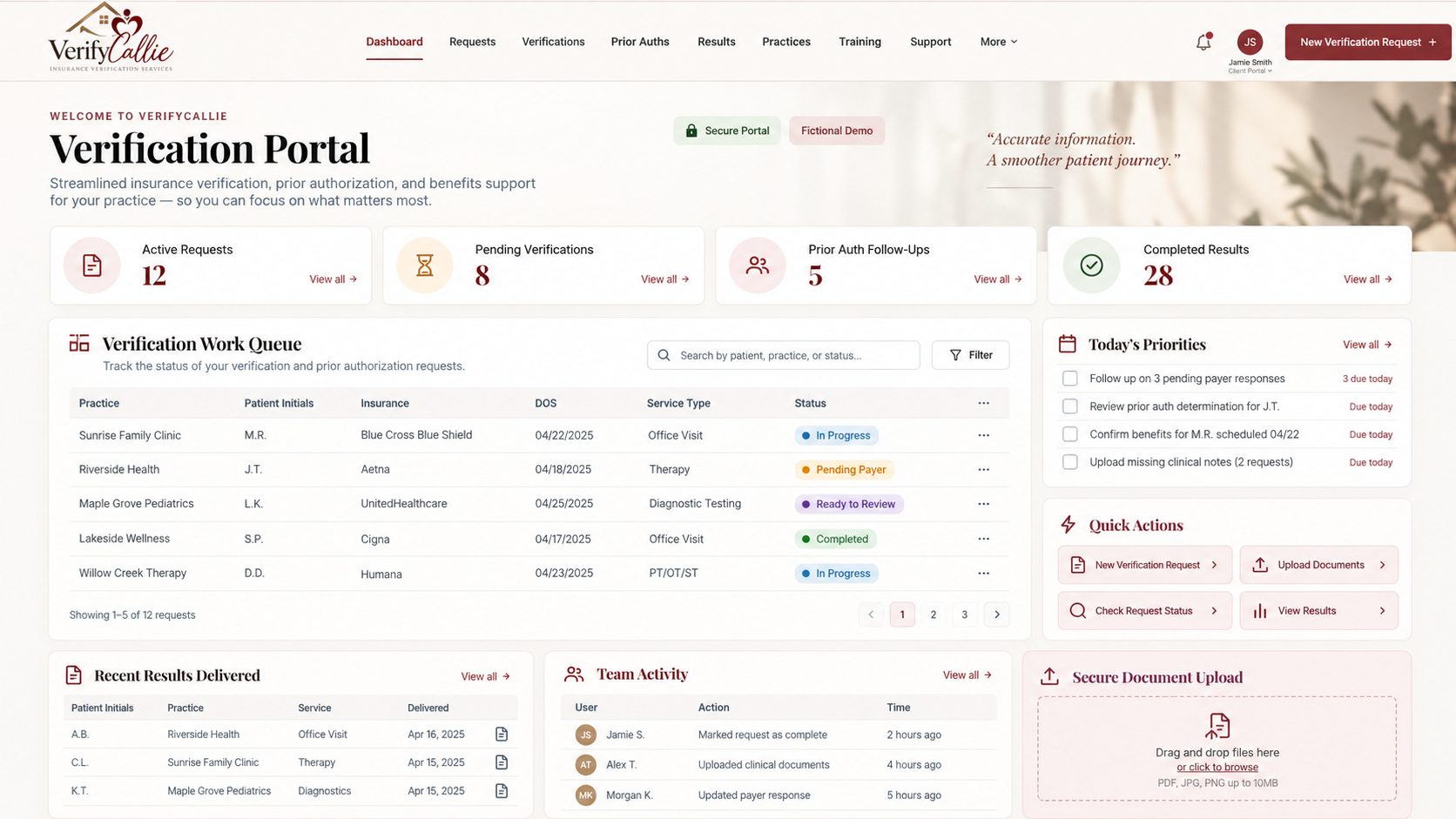
Illustrative design preview. All names, request counts, dates, and statuses shown are fictional. Live patient uploads and verification requests remain unavailable until onboarding, authorization and security testing are complete.