Your Future Verification Workspace
Explore sample Basic, Full Benefits and Workers’ Compensation reports, plus a fictional patient readiness dashboard concept. All examples are demonstrations, not real patient data or completed verifications.
View Sample ReportsA look inside our software development
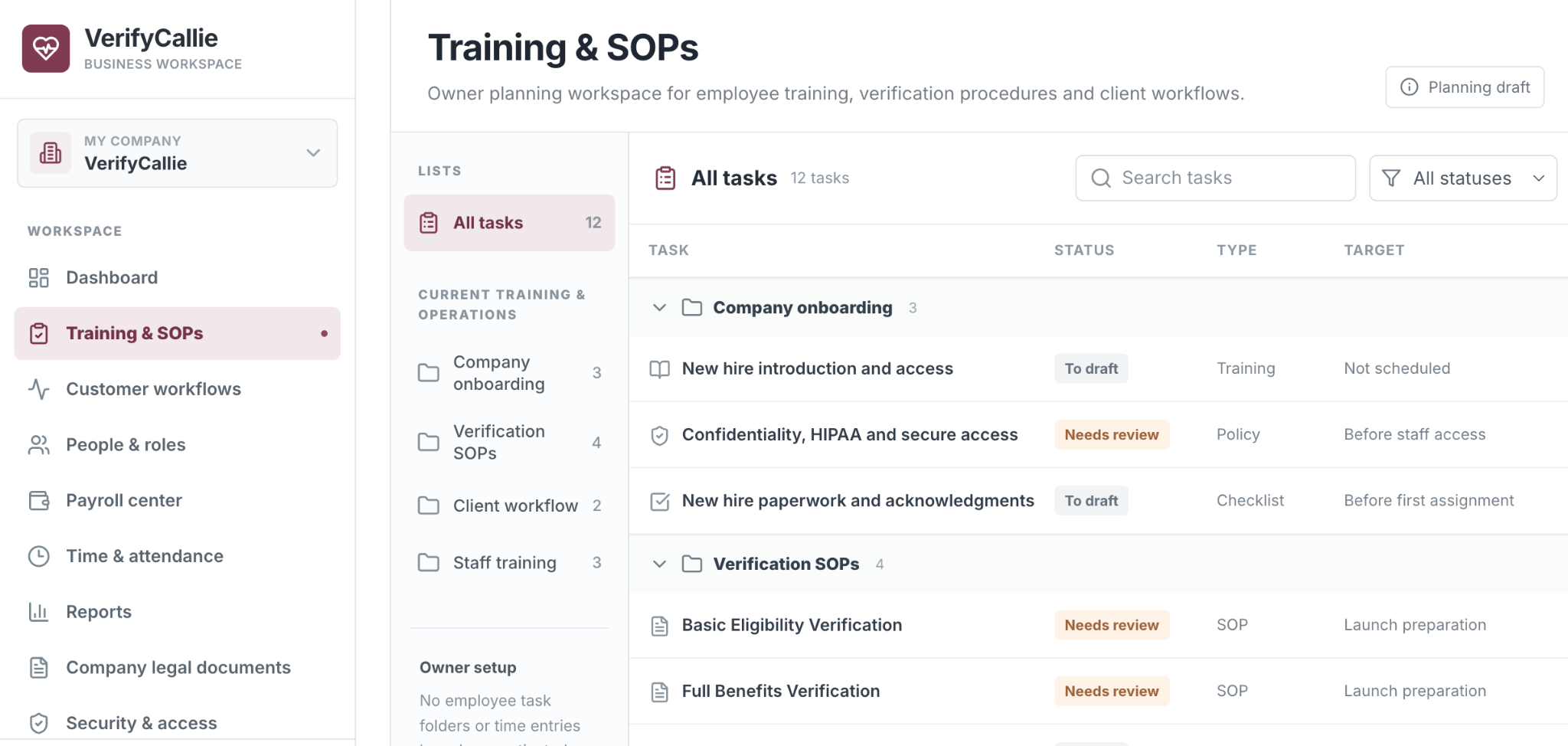
VerifyCallie Training & SOPs Workspace
A real screenshot of our private owner planning workspace, designed with a clean EHR-inspired layout. It organizes staff onboarding, standard operating procedures, verification workflows and training tasks into searchable lists with clear review statuses.
VerifyCallie software design preview
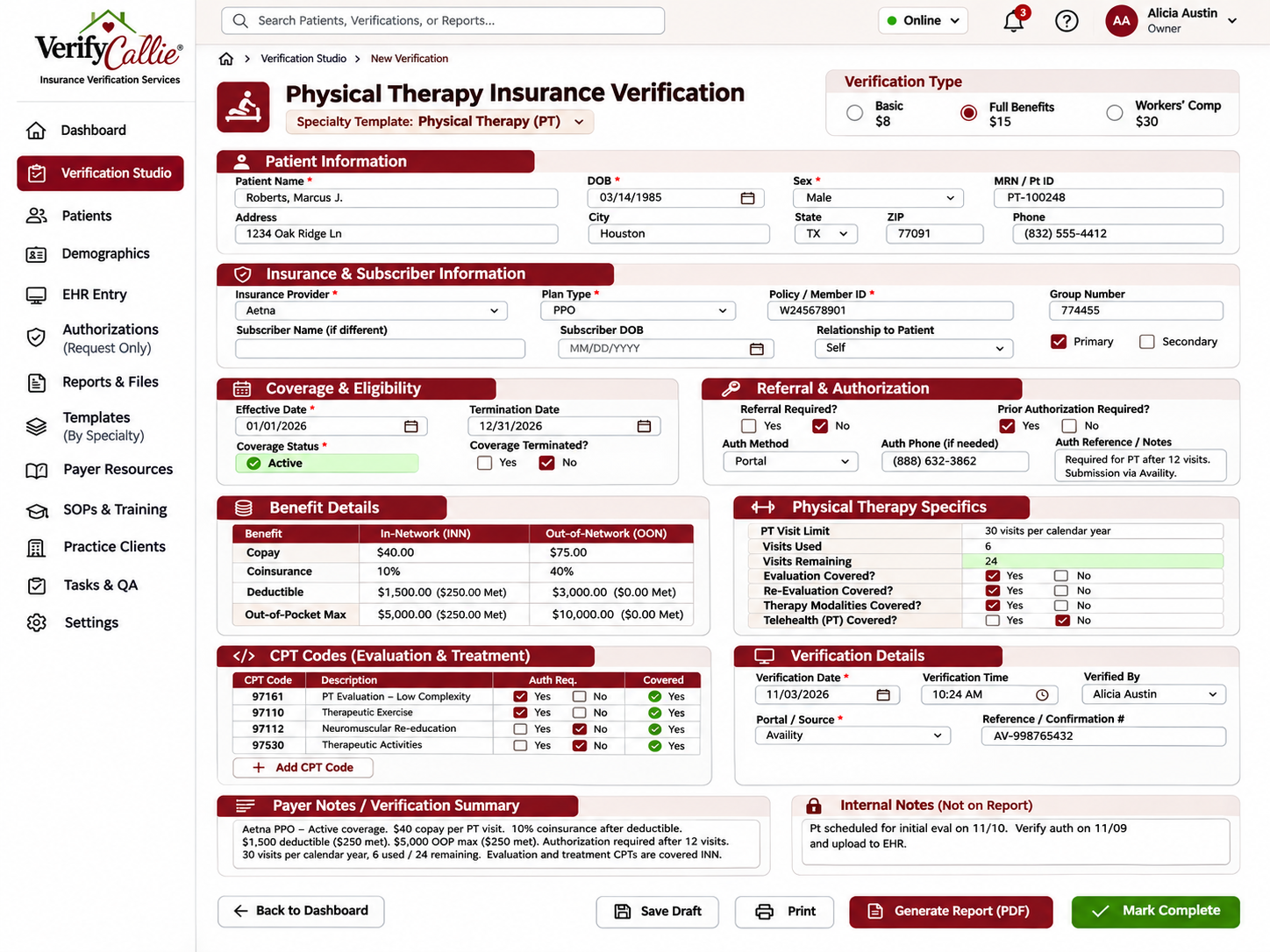
Physical Therapy Verification & Demographics
A preview of our specialty-specific verification workspace, including patient demographics, subscriber information, PT visit limits, eligibility, benefits, CPT codes, authorization checks and payer notes.
Watch the software in action
PT, OT & Speech Therapy Verification, Patient List & QA Demo
Watch our updated therapy verification software using fictional records. This walkthrough demonstrates selecting PT and OT, entering insurance benefits, saving a verification, checking Automatic QA Review, and opening the saved patient list.
The updated demonstration shows a fictional PT and OT verification, therapy benefit fields, saved verifications by client and the automatic QA checklist. QA in the demo checks documentation completeness, not actual payer eligibility or adjudication. The deduction, out-of-pocket accumulator and responsibility calculator are additional demonstration features built after this recording. No real patient eligibility, coverage, reimbursement or authorization is confirmed.
See a sample verification report
Switch between examples to see what changes with each service. Every figure and record below is completely fictional and for demonstration only.
Full Benefits Verification
- Coverage status
- Active (fictional example)
- Primary / specialist copay
- $25 / $50 (fictional)
- Coinsurance and deductible
- 20% / $1,000 (fictional)
- In-network details
- Example benefits documented
- Requested procedure
- Example CPT/HCPCS research documented
- Authorization requirement
- Unable to confirm from example source; follow up required
- Limits and exclusions
- Example plan notes documented
An authorization requirement check is not an authorization submission. The payer may still require medical necessity review.
Patient readiness overview · concept
Illustration of how a future client dashboard could organize verification statuses.
Example record A
VerifiedReport ready
Example record B
Needs informationSubscriber details missing
Example record C
In progressPortal research underway
Example record D
Pending accessPayer permissions required
Illustrative workflow only. No patient names, IDs or records are present. This is not a promise of live client dashboard availability.
Meet the VerifyCallie verification workspace.
An organized, private workspace designed to bring request tracking, verification progress, practice coordination, and completed results together when our secure workflows launch.
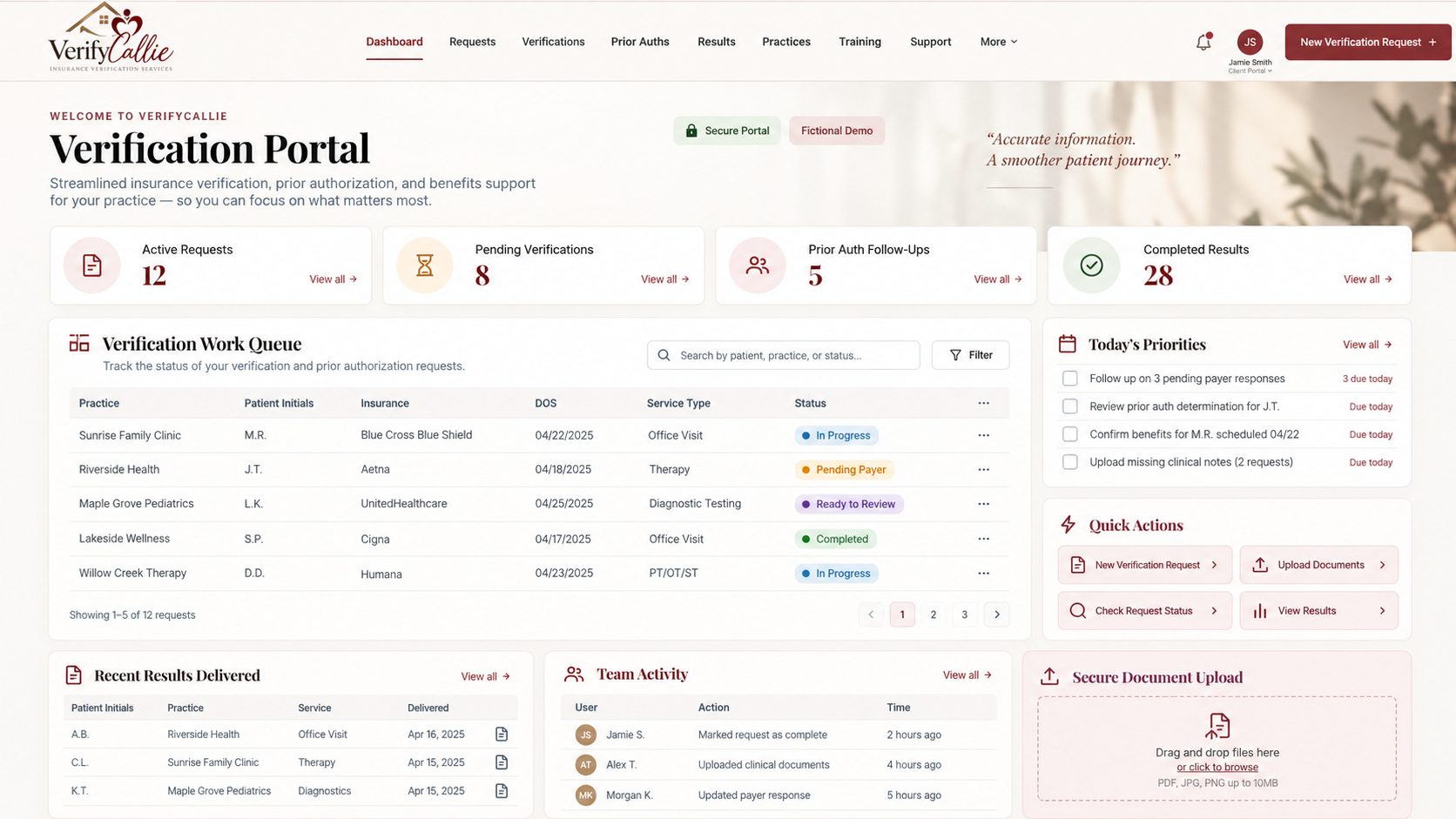
Illustrative design preview. All names, request counts, dates, and statuses shown are fictional. Live patient uploads and verification requests remain unavailable until onboarding, authorization and security testing are complete.
How a future practice engagement would work
The steps below describe our planned workflow, subject to completed onboarding, safeguards, and approval.
Tell us about your practice
Discuss business needs and the work your team hopes to delegate. Never submit patient data through public forms.
Complete secure onboarding
Before any patient work, confirm contracts, applicable BAAs, safeguards and separate individual authorized access.
Verify and quality-check
Follow approved SOPs, document sources, and escalate unclear or missing coverage details.
Receive organized findings
Deliver results via the client's agreed, approved secure method after appropriate quality checks.